


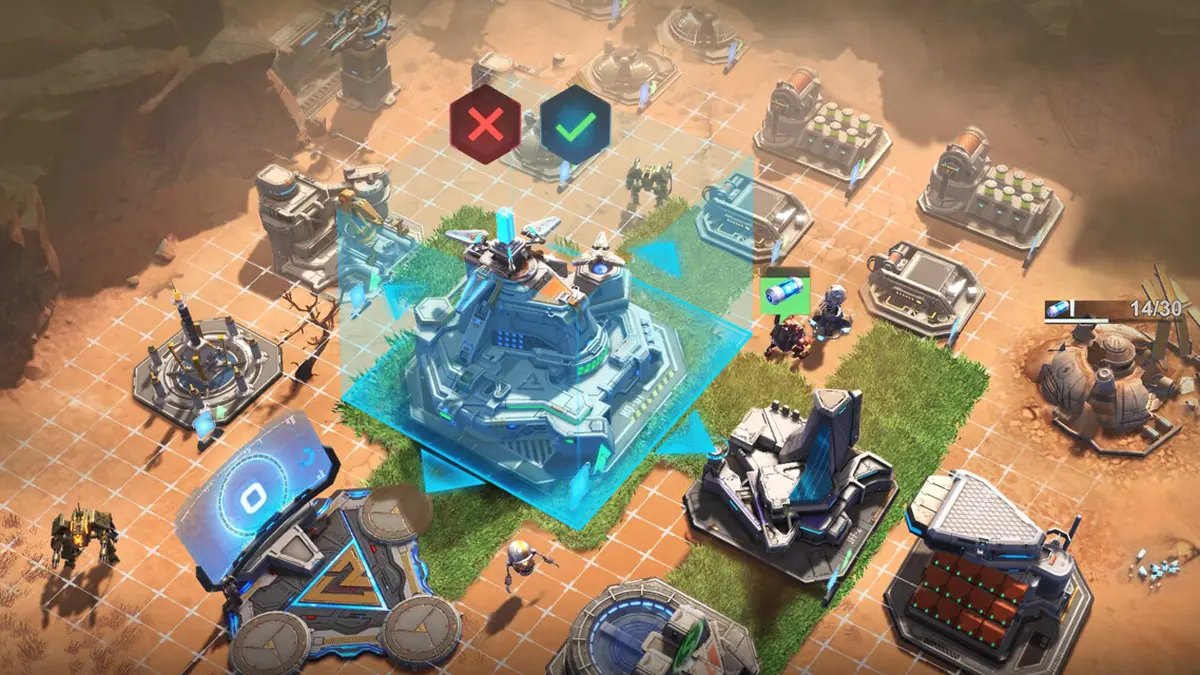
This Project Entropy beginner guide covers what to focus on in your first days in FunPlus International’s sci-fi MMO strategy game: which buildings matter, how heroes and vehicles fit together, how to pick a faction, and how to stay safe while your base is small. It draws on the Steam store page, the official site, the App Store listing and community guides, so you can skip the slow trial-and-error phase. If you’re still choosing a device, my Project Entropy Steam vs mobile guide covers cross-play and account linking.
Project Entropy is free on Windows PC, and a mouse makes base management and region map orders much quicker. Play Project Entropy free on Windows PC.
Key Takeaways
- Your Command Center level gates everything else, so keep it upgrading
- Train troops and set formations at the Mobilization Center, and manage heroes at the Base Station
- Each formation pairs a hero with a vehicle and supporting weapons
- Stick to one faction early, because some Fusion Skills scale with same-faction heroes
- Join an active alliance quickly: alliance wars on the region map are the endgame
Understand the Setting and Your Goal
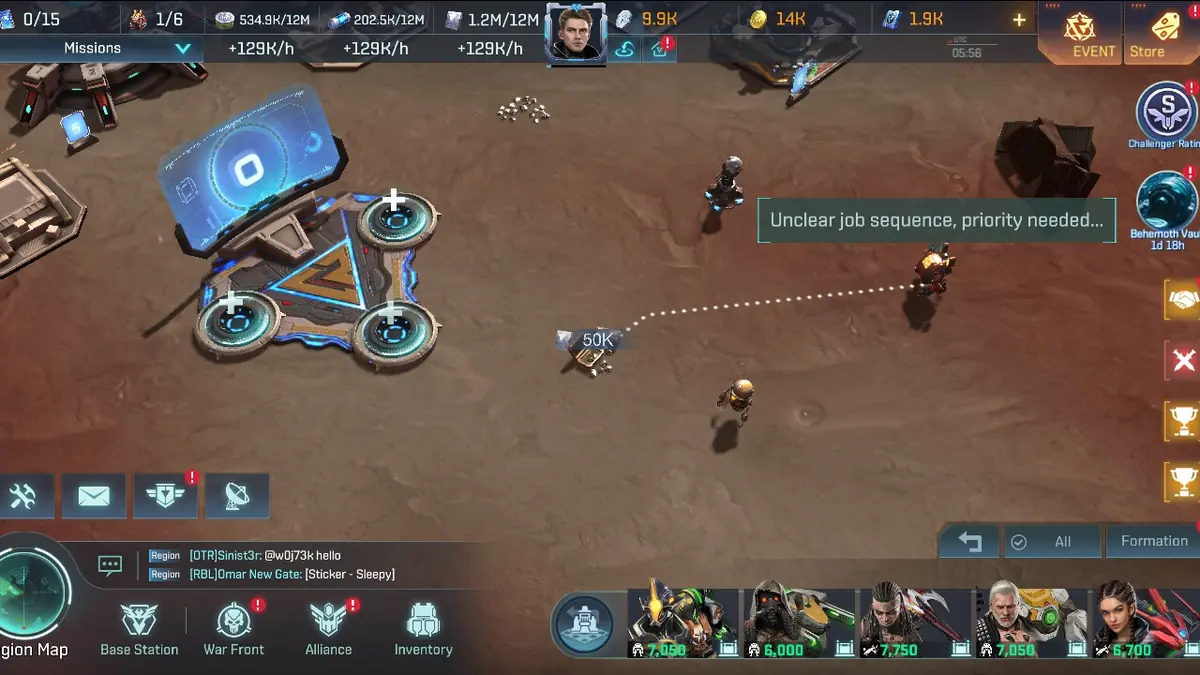


According to the official site, the story starts in 2099, when a meteorite strikes the largest human colony on planet Kepler-452B and creates a crater almost 500 kilometers in radius. That transformed region is the Entropy Zone, and it’s where you’ll build. The main missions are split into chapters, and they double as a tutorial for each new system.
Follow the main missions first. They hand out resources and walk you through each building as it unlocks, which is the fastest way to grow without wasting materials on the wrong upgrades.
Base Building: What to Upgrade First
Three buildings carry your early game:
- Command Center: the core of your base. Its level unlocks new buildings and features, so it should almost always be upgrading.
- Mobilization Center: trains troops and sets up hero formations. Training costs rise each time you train.
- Base Station: where you choose and upgrade heroes, vehicles and supporting weapons.
You’ll juggle five resources: food, metal, gold, iron and solar material, per Talk Android’s guide. They come from your base, factories, resource plants, the open world, main mission rewards and fights against the alien Grods. Send rovers out regularly. They scout for resource nodes and new territory, and an idle rover is wasted income.
Heroes, Vehicles and Formations
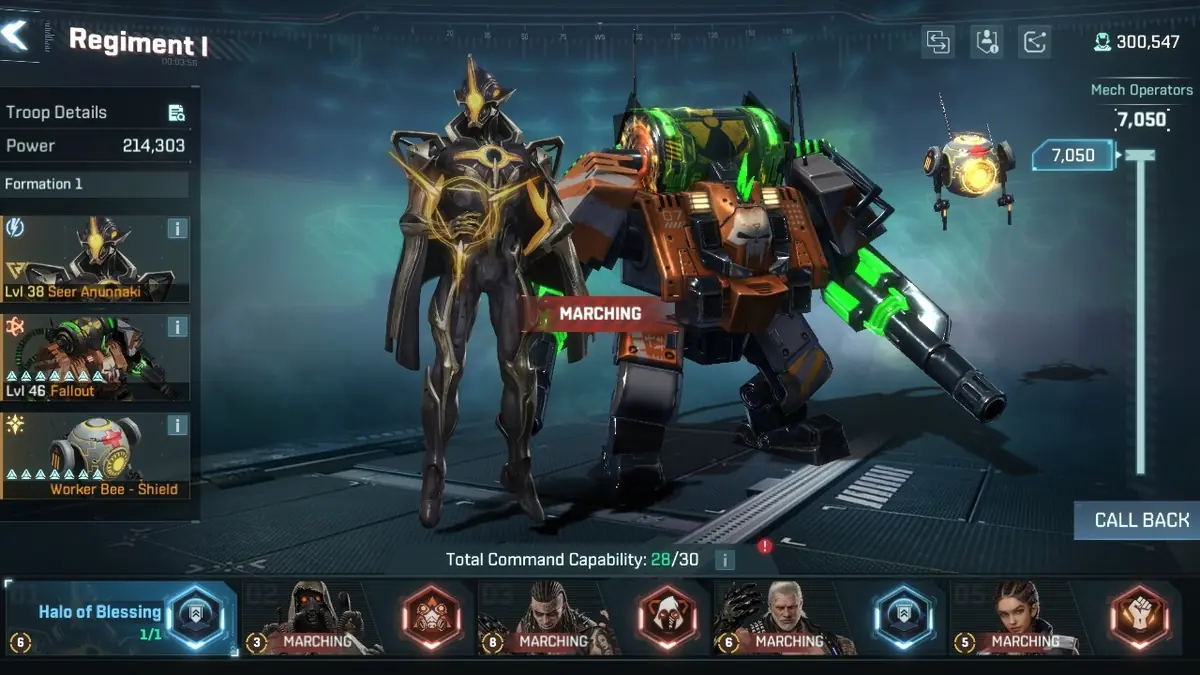
A formation is built in layers. You choose a hero, assign a vehicle (a tank, aircraft or mech), and add supporting weapons. The Regiment screen also shows a Total Command Capability limit, which caps how much you can field at once.
Heroes fall into four roles in community guides: Leader, Damage, Buff and Debuff. I’d build each formation around a Leader and support it with Damage and Buff heroes, since that’s where community tier lists place their top picks. You can let auto-assign fill formations, but Talk Android’s guide recommends building them by hand, and that matches the logic of the skill system.

Vehicles can be modified in four slots: arm, armor, propulsion and navigation systems. Upgrade the vehicles you actually use rather than spreading parts across your whole garage.
Pick a Faction and Stay Consistent
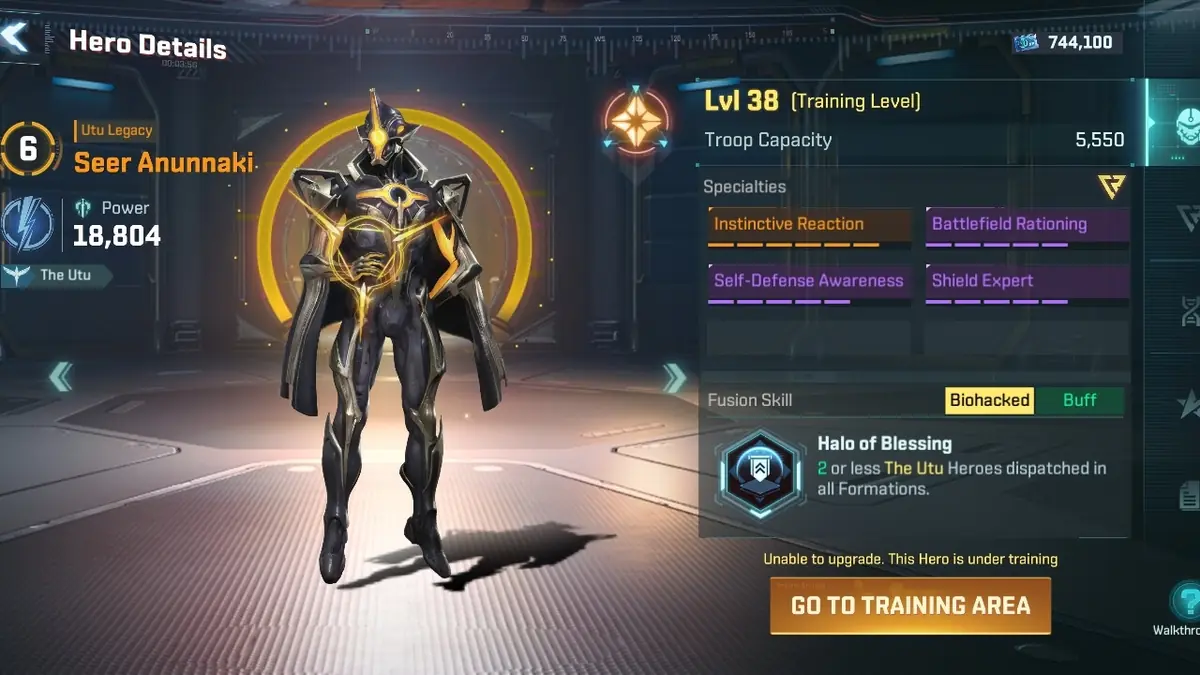
The game has four known civilizations, Human, The Utu, Automatons and The Beasts. Every hero belongs to one, and Fusion Skills often care about faction. One Steam screenshot shows The Utu hero Seer Anunnaki, whose Fusion Skill, Halo of Blessing, checks how many Utu heroes are dispatched across your formations.
The practical lesson: don’t level heroes from every faction at once. Pick the faction of your strongest early Leader, then build around it. Hero Talents and Cyphers, which come from drop pods, loot boxes and missions, add more power on top, so concentrate them on a few core heroes.
Combat and Staying Safe
Battles run automatically, but you control when special abilities fire, and you can pause to time them. On the region map you can give individual orders, such as pulling a damaged unit out before you lose it. That alone saves a lot of troops in your first wars.
Grods are the main PvE enemies and a steady resource source, so clear the ones your formations can handle. My Project Entropy Grods guide explains how to farm them and which heroes help. Be careful with other players. Steam reviewers warn that bigger spenders can hit hard in PvP, so keep your troops at home or in alliance territory while you’re small, and don’t pick fights with much stronger bases.
Join an Alliance Early
Alliances are where Project Entropy’s real game happens. The App Store listing describes alliance battles on the region map for control of territories and resources, and Steam promises team-ups with more than 100 players. Real-time chat translation means you can coordinate with players from anywhere. An active alliance also gives you help, protection and access to group events you can’t do alone.
The game runs in seasons that bring new planets, challenges and rewards. One Steam reviewer notes that bases reset when maps change, so treat each season as a fresh race and focus on long-term progress like heroes and vehicles.
FAQ
What should I upgrade first in Project Entropy?
The Command Center, because its level unlocks other buildings and features.
Can I play Project Entropy without spending money?
Yes. It’s free to play, though Steam reviewers say spenders have an edge in PvP.
What are Grods?
Alien beasts that serve as the main PvE enemy and a key resource source.
Should I join an alliance?
Yes, as early as you can. Alliance wars are the core endgame.
Want to know if it’s worth your time? Read my Project Entropy review, then check the Project Entropy tier list before you spend upgrade materials. For more strategy games, browse the MMO Strategy section. Downloads and account support are on the official Project Entropy website.

