


Project Entropy Steam vs mobile is a bigger decision than it looks, because your account and your purchases go wherever your character lives. FunPlus publishes the game on Steam, through its own Windows launcher, and on iOS and Android. This guide sticks to what official sources confirm about cross-play and account linking: the Steam store page, the official FAQ and the App Store and Google Play listings. Where FunPlus hasn’t said something clearly, I say so instead of guessing.
The PC version is free on Windows. Play Project Entropy free on Windows PC.
Key Takeaways
- Steam lists Cross-Platform Multiplayer, so PC and mobile players share the same game world
- The official FAQ explains how to move a mobile character to PC: bind it to FunPlus, Facebook or Google first
- Steam’s store page says the game requires a third-party account: Google or Facebook
- FunPlus hasn’t published a Steam-specific guide for loading a mobile character, so bind before you switch
- The official PC client supports multi-instance mode with up to 3 characters at once
Three Ways to Play: Steam, the Official Launcher and Mobile
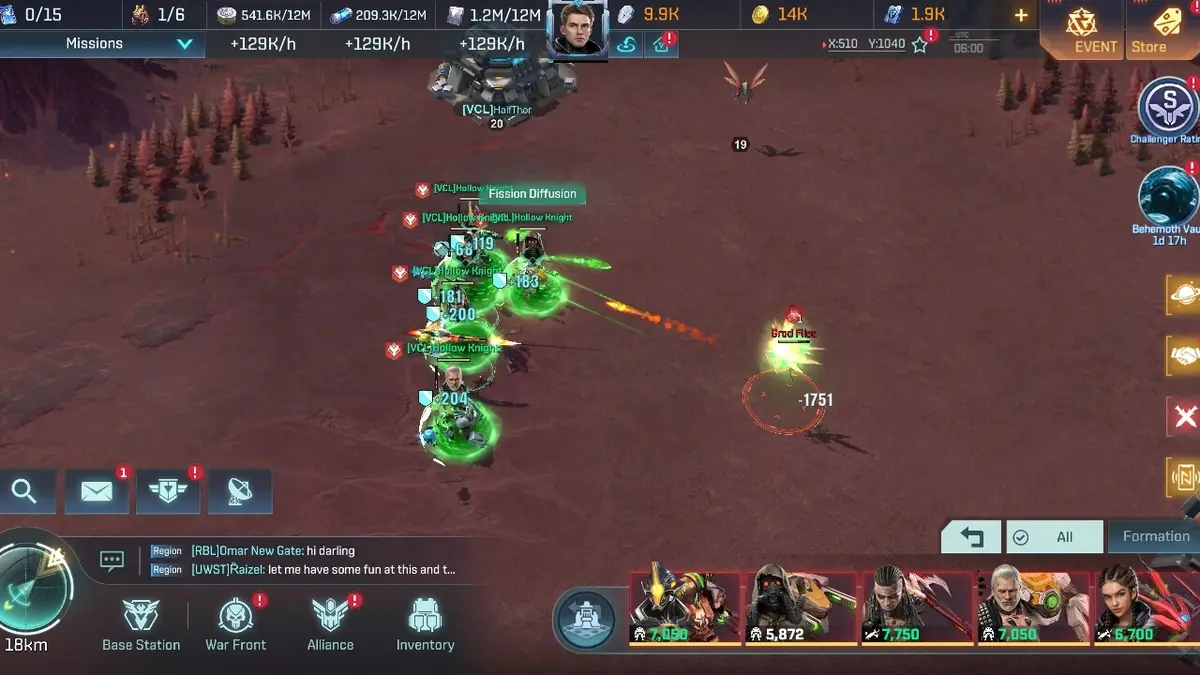


Most comparisons treat this as a two-way choice, but there are really three options:
- Steam. Released on April 16, 2024, free to play, with Steam reviews currently Mixed. Steam lists MMO, Online PvP, Online Co-op, Cross-Platform Multiplayer, In-App Purchases and Family Sharing among its features.
- The official Windows launcher. The official site offers its own PC installer next to the Google Play, App Store and Android APK downloads. The official FAQ has a separate “PC-only issues” section for it.
- Mobile. The App Store lists a 2.9 GB download that needs iOS 15.0 or later, and Google Play shows more than 1 million downloads, with an update on October 15, 2026.
The game is the same everywhere. You build in the Entropy Zone, fight Grods and rival alliances, and buy the same R.C coin packs, which the App Store lists from $0.99 to $99.99. My Project Entropy review covers whether the game itself is worth your time.
Account Linking: What FunPlus Confirms
The official FAQ answers the key question directly: “How to log in with the character I’ve created on a mobile device from my PC?” The steps are:
- Tap your avatar in the top-left corner, open Chief Profile, then tap Settings in the lower right.
- Open Account, then tap Bind Account.
- Choose one of three options: FunPlus, Facebook or Google. A FunPlus account can use either a phone number or an email address, verified with a code sent by SMS or email.
- Once the character is bound, log in on PC with the same method.
Two more official rules matter. Each third-party account can only be bound to one character, and you can unbind it in the game. If you see a third-party login failure, the FAQ says to log out of that third-party app, clear its cache and log in again. If that doesn’t work, there’s a “Unable to switch account” request form. FunPlus warns it can’t recover an account twice within a short period, so protect your login.
What Isn’t Confirmed Yet
Here’s where the official information runs out, and it’s worth knowing before you commit:
- Steam-specific steps. The FAQ’s linking guide sits in the PC section, but it doesn’t mention Steam by name. FunPlus hasn’t published a separate statement saying a mobile character loads in the Steam client.
- FunPlus ID on Steam. Steam’s store page lists “Requires 3rd-Party Account: Google, Facebook.” The FAQ also lists a FunPlus account as a binding option, but Steam doesn’t mention it. Whether a FunPlus ID login works in the Steam build isn’t confirmed.
- PC features on Steam. Multi-instance mode and the hot keys below are documented for the official PC client. FunPlus doesn’t say whether the Steam build has them too.
My advice follows from that. Bind your mobile character to Google or Facebook before you try Steam, because those are the two accounts Steam names. If anything goes wrong, contact support in the game (Settings, Account, Contact Support) before you create a new character.
PC Advantages: Multi-Instance, Hot Keys and a Bigger Map


The official PC client has features you won’t get on a phone:
- Multi-instance mode. Click the +Multi-Instance button in the top-left corner and you can run up to 3 characters at the same time, each in its own window.
- Hot keys. Alt+Enter toggles fullscreen, Alt plus the left mouse button zooms the map, and the mouse wheel scrolls chat and mail.
- Room for alliance wars. Region map battles involve a lot of moving formations, and seeing more of the map at once helps. My Project Entropy beginner guide explains how to pull damaged units back in time.
Steam adds its own perks, like Family Sharing and a community hub. On the other hand, Steam lists fewer languages: six, compared with 21 on the App Store.
Mobile Advantages
Strategy MMOs reward short, frequent check-ins: restarting build queues, sending rovers out and joining alliance rallies. A phone does that better than any PC. Mobile also has a much bigger player base. Google Play shows 87.2K reviews at 3.8 stars, while Steam shows 269 reviews in total.
The mobile store listings also announce new content. The latest Google Play listing advertises Galactic Ring, a new mode with real-time 1v1 battles.
Which Should You Pick?
If you already play on a phone, keep your character there and add PC for long sessions, after binding your account. If you’re starting fresh and mostly play at a desk, the official PC client is the best documented option, with multi-instance mode and official linking steps. Choose Steam if you value its library and Family Sharing, and bind Google or Facebook on day one.
Whichever you pick, plan your heroes with my Project Entropy tier list so your upgrades carry over wherever you log in.
FAQ
Is Project Entropy cross-platform?
Yes. Steam lists Cross-Platform Multiplayer, so PC and mobile players play together.
Can I move my mobile progress to PC?
Yes. The official FAQ says to bind your character to FunPlus, Facebook or Google, then log in on PC with that method.
Does my mobile account work on Steam?
FunPlus hasn’t confirmed this for Steam specifically. Steam lists Google and Facebook as required accounts, so bind one of those first.
Can I play more than one account on PC?
Yes, on the official PC client. Multi-instance mode supports up to 3 characters at once.
New commanders should read the Project Entropy beginner guide first, then the Project Entropy review and the Project Entropy tier list. More strategy games are in the MMO Strategy section, and the linking FAQ and PC download are on the official Project Entropy website.

